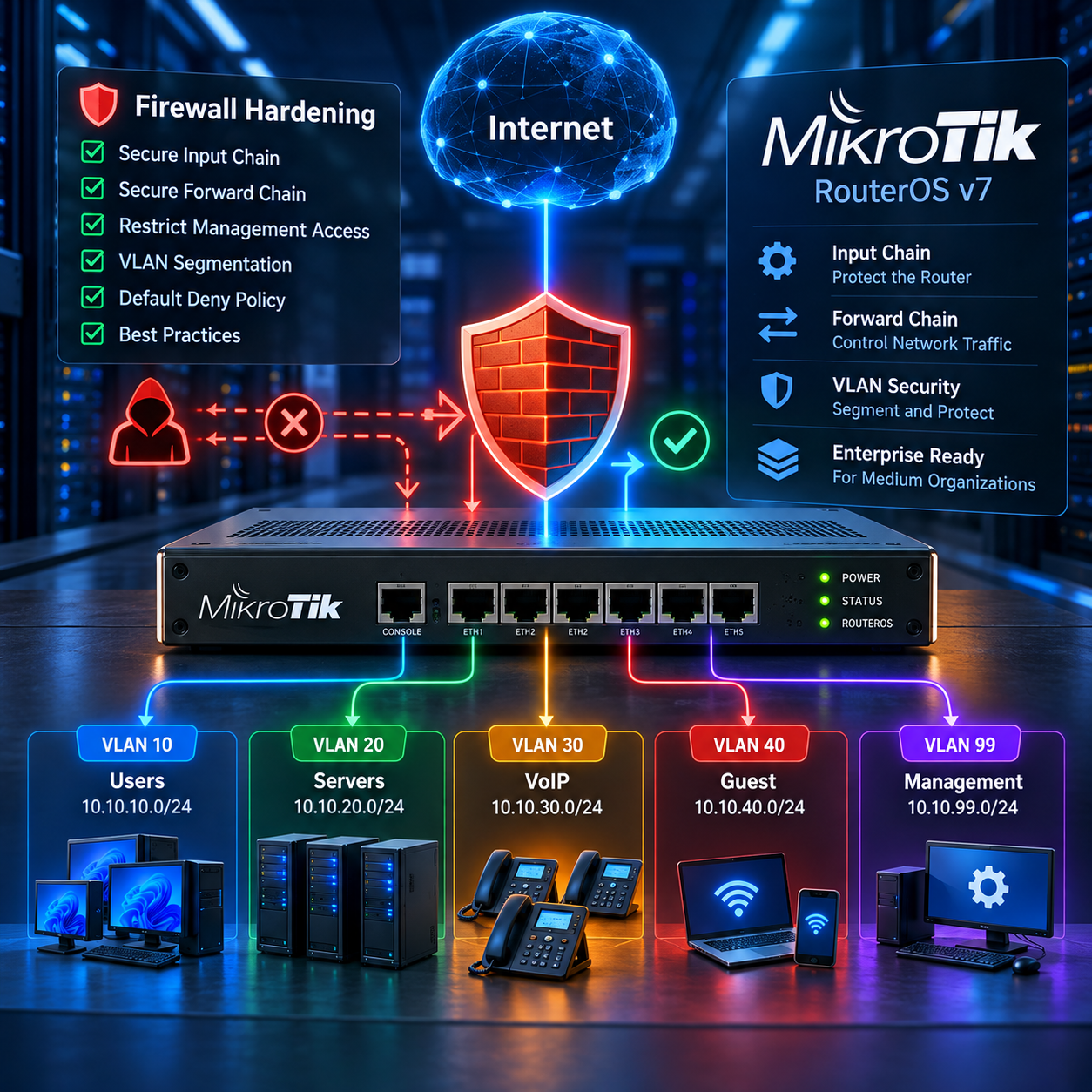
Overview
This runbook designs an IPv4 perimeter and inter-VLAN policy for RouterOS v7. It is an example to review in a lab, not a blind paste into a production router. The documentation network 203.0.113.0/24 is reserved for examples and tests. Replace every example IP, interface, service port and requirement with values from the target network.
Internet
   |
MikroTik Router
   +-- VLAN 10 Users     10.10.10.0/24
   +-- VLAN 20 Servers   10.10.20.0/24
   +-- VLAN 30 VoIP      10.10.30.0/24
   +-- VLAN 40 Guest     10.10.40.0/24
+-- VLAN 99 Mgmt 10.10.99.0/24Do not apply these rules blindly. Export first, take a RouterOS backup, enter Safe Mode, add and test the management allow rule, then add the final drops. Keep an out-of-band console or recovery path available.
/export file=before-firewall-hardening
/system backup save name=before-firewall-hardening
Safe Mode rolls back changes made during the session if the management session is lost. Use Ctrl+X in terminal, or the Safe Mode button in Winbox, and confirm that the administrator can reconnect before leaving Safe Mode.
Input and Forward: the critical distinction
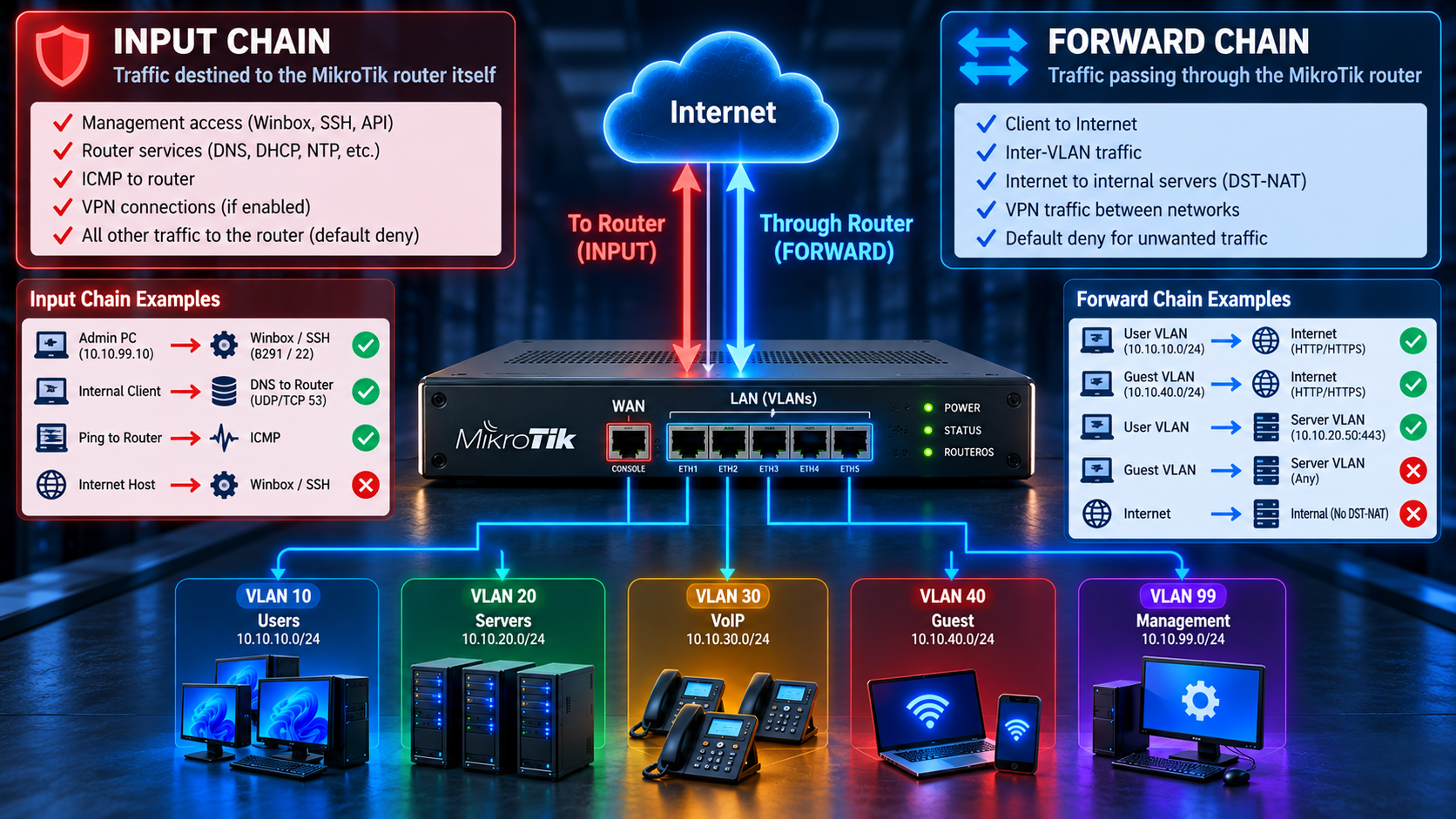
input processes packets entering the router when the destination is one of the router's own addresses. forward processes packets passing through the router toward another host. This distinction is the foundation of a safe policy.
- Admin to MikroTik Winbox: input
- User to Internet: forward
- User VLAN to Server VLAN: forward
- Internet to published web server: forward after DST-NAT
- DNS request to the router: input
Interface Lists and Address Lists
Interface lists make policy portable. A WAN rule refers to the trust boundary, not a hard-coded physical port. Address lists make the policy readable and let the organization add subnets without duplicating every rule.
/interface list
add name=WAN comment="Internet-facing interfaces"
add name=LAN comment="Trusted internal interfaces"
/interface list member
add list=WAN interface=ether1
add list=LAN interface=vlan10-users
add list=LAN interface=vlan20-servers
add list=LAN interface=vlan30-voip
add list=LAN interface=vlan40-guest
add list=LAN interface=vlan99-mgmt
/ip firewall address-list
add list=MGMT-ADMINS address=10.10.99.10 comment="Network Administrator"
add list=INTERNAL-NETWORKS address=10.10.10.0/24 comment="Users"
add list=INTERNAL-NETWORKS address=10.10.20.0/24 comment="Servers"
add list=INTERNAL-NETWORKS address=10.10.30.0/24 comment="VoIP"
add list=INTERNAL-NETWORKS address=10.10.40.0/24 comment="Guest"
add list=INTERNAL-NETWORKS address=10.10.99.0/24 comment="Management"
add list=SERVER-NETWORKS address=10.10.20.0/24 comment="Servers"
add list=GUEST-NETWORKS address=10.10.40.0/24 comment="Guest"
Protecting the MikroTik Router: INPUT Chain
Start with return traffic, then remove invalid state, allow carefully scoped infrastructure and management traffic, and finish with default deny. ICMP should not be blocked completely because it supports troubleshooting, Path MTU Discovery and network diagnostics.
/ip firewall filter
add chain=input action=accept connection-state=established,related,untracked comment="INPUT - Allow Established Related"
add chain=input action=drop connection-state=invalid comment="INPUT - Drop Invalid"
add chain=input action=accept protocol=icmp limit=20,5:packet comment="INPUT - Allow ICMP with controlled rate"
add chain=input action=accept protocol=tcp dst-port=8291 src-address-list=MGMT-ADMINS in-interface=vlan99-mgmt comment="INPUT - Winbox from Admins"
add chain=input action=accept protocol=tcp dst-port=22 src-address-list=MGMT-ADMINS in-interface=vlan99-mgmt comment="INPUT - SSH from Admins"
add chain=input action=accept protocol=udp dst-port=53 src-address-list=INTERNAL-NETWORKS in-interface-list=LAN comment="INPUT - DNS UDP from LAN"
add chain=input action=accept protocol=tcp dst-port=53 src-address-list=INTERNAL-NETWORKS in-interface-list=LAN comment="INPUT - DNS TCP from LAN"
# DHCP server rules are scenario-dependent. Add only when this router is the DHCP server.
add chain=input action=accept protocol=udp src-port=68 dst-port=67 in-interface-list=LAN comment="INPUT - DHCP client requests when required"
# Add a VPN rule only when that VPN is enabled and its actual port is confirmed.
# add chain=input action=accept protocol=udp dst-port=13231 in-interface-list=WAN comment="INPUT - WireGuard example, review port"
add chain=input action=drop in-interface-list=WAN comment="INPUT - DROP New WAN Access"
add chain=input action=drop comment="INPUT - DROP Everything Else"
The invalid rule is recommended by MikroTik, but asymmetric routing can make valid flows appear invalid. If the design has multiple paths, IPsec, ECMP or policy routing, inspect connection tracking and return-path symmetry before enforcing it globally.
Hardening RouterOS Services and DNS
Firewall filtering and service binding are complementary. Disable services that are not used. Restrict Winbox and SSH at the service layer as well as in the firewall. If allow-remote-requests is enabled, DNS must never be exposed on WAN; permit both UDP and TCP 53 only from approved LAN networks.
/ip service
set telnet disabled=yes
set ftp disabled=yes
set www disabled=yes
set api disabled=yes
set api-ssl disabled=yes
set ssh address=10.10.99.0/24
set winbox address=10.10.99.0/24
/ip ssh set strong-crypto=yes
/ip dns set allow-remote-requests=yes
The final DNS command is intentional only if the router is the approved DNS cache. Otherwise use allow-remote-requests=no. DHCP needs an input rule only when clients send DHCP requests to this router's local DHCP server; do not add it merely because DHCP exists somewhere in the network.
Protecting Internal Networks: FORWARD Chain
Forward rules protect clients and control Internet, inter-VLAN and published-service traffic. NAT is not permission: firewall filter is permission, while NAT is address translation. Every business flow must be an explicit allow before a segmentation or final drop.
/ip firewall filter
add chain=forward action=accept connection-state=established,related,untracked comment="FORWARD - Allow Established Related"
add chain=forward action=drop connection-state=invalid comment="FORWARD - Drop Invalid"
add chain=forward action=drop connection-state=new connection-nat-state=!dstnat in-interface-list=WAN comment="FORWARD - Drop New WAN Traffic Not DSTNATed"
add chain=forward action=accept src-address=10.10.10.0/24 dst-address=10.10.20.50 protocol=tcp dst-port=443 comment="FORWARD - Users to App HTTPS"
add chain=forward action=accept src-address=10.10.99.0/24 dst-address-list=INTERNAL-NETWORKS protocol=tcp dst-port=22,443,3389 comment="FORWARD - Mgmt Administrative Services"
add chain=forward action=accept src-address=10.10.10.0/24 out-interface-list=WAN protocol=tcp dst-port=80,443 comment="FORWARD - Users Internet Web"
add chain=forward action=accept src-address=10.10.40.0/24 out-interface-list=WAN protocol=tcp dst-port=80,443 comment="FORWARD - Guest Internet Web"
add chain=forward action=drop src-address-list=GUEST-NETWORKS dst-address-list=INTERNAL-NETWORKS log=yes log-prefix="DROP_GUEST " limit=10,5:packet comment="FORWARD - Drop Guest to Internal"
add chain=forward action=drop src-address=10.10.10.0/24 dst-address-list=SERVER-NETWORKS comment="FORWARD - Drop Other Users to Servers"
add chain=forward action=drop src-address-list=INTERNAL-NETWORKS dst-address-list=INTERNAL-NETWORKS log=yes log-prefix="DROP_INTERVLAN " limit=10,5:packet comment="FORWARD - Drop Unauthorized Inter-VLAN"
add chain=forward action=drop in-interface-list=WAN log=yes log-prefix="DROP_WAN " limit=10,5:packet comment="FORWARD - Drop Unapproved WAN"
add chain=forward action=drop log=yes log-prefix="DROP_FORWARD " limit=10,5:packet comment="FORWARD - DROP Everything Else"
Add DNS, NTP, backup, monitoring, PBX and VoIP rules only after documenting the actual server addresses and ports. Do not hard-code universal SIP/RTP ranges without checking the PBX vendor. Guest must be Internet-only. VoIP should reach only the PBX and required services. Published web servers require an explicit dstnat rule and a matching forward accept rule.

Should We Use FastTrack in Enterprise Networks?
FastTrack can bypass parts of firewall, queues, mangle, IPsec, traffic accounting, policy routing and monitoring processing. It is not enabled in the base configuration here. If the organization uses queues, IPsec, advanced routing or detailed accounting, test impact first and exclude affected traffic. Existing connections may also retain old processing until they expire or are cleared under an approved change plan.
Why Firewall Rule Order Matters
RouterOS evaluates filter rules from top to bottom. The first terminating action wins. A broad accept above a segmentation drop, or a final drop above an application allow, changes the policy. Use this operational order: established/related, invalid, critical infrastructure, management, required services, inter-VLAN allows, Internet allows, WAN protection, segmentation drops, final drop.

Firewall Troubleshooting

/ip firewall filter print
/ip firewall filter print stats
/ip firewall connection print
/tool torch interface=vlan10-users
/tool sniffer quick interface=vlan10-users ip-protocol=tcp port=443
/log print where message~"DROP_"
/ping 10.10.20.50
/tool traceroute 1.1.1.1
Packets and bytes are evidence. A zero counter on an expected allow usually means wrong rule order, interface, address list, source/destination or that another rule matched first. If users have no Internet, check forward permission, srcnat/masquerade, the default route, DNS and WAN membership. If the router pings but the client cannot browse, the router-originated ping uses output, while the client flow uses forward. If Guest reaches Servers, inspect established connections, address lists, VLAN/bridge design and hardware offload assumptions. Do not use logging on every drop without a rate limit: attacks can cause CPU load and log flooding.
Testing Matrix
| Source | Destination | Service | Expected |
|---|---|---|---|
| Admin PC | MikroTik | Winbox | Allow |
| Users | MikroTik | Winbox | Drop |
| Internet | MikroTik | Winbox | Drop |
| Users | Internet | HTTP/HTTPS | Allow |
| Guest | Internet | HTTP/HTTPS | Allow |
| Guest | Servers | Any | Drop |
| Users | 10.10.20.50 | TCP 443 | Allow |
| Users | Server VLAN | Other | Drop |
| Internet | LAN | New / No DST-NAT | Drop |
Run every row from the real source and destination before production deployment. Test fresh and existing connections separately.
Advanced Notes and Production Checklist
RouterOS also provides /ip firewall raw for advanced filtering before connection tracking. RAW can help with bogon or invalid-source filtering, but a large RAW design is outside this article. IPv4 hardening does not secure IPv6. If IPv6 is enabled, build and test a separate /ipv6 firewall filter policy.
- Disable unused services and management exposure on WAN.
- Use meaningful comments, backups, Safe Mode and supported RouterOS releases.
- Review and remove obsolete rules periodically.
Official references: MikroTik Filter, Connection Tracking, Services, DNS and Securing Your Router documentation. MikroTik Filter Connection Tracking Services DNS