1. Start with a real deployment
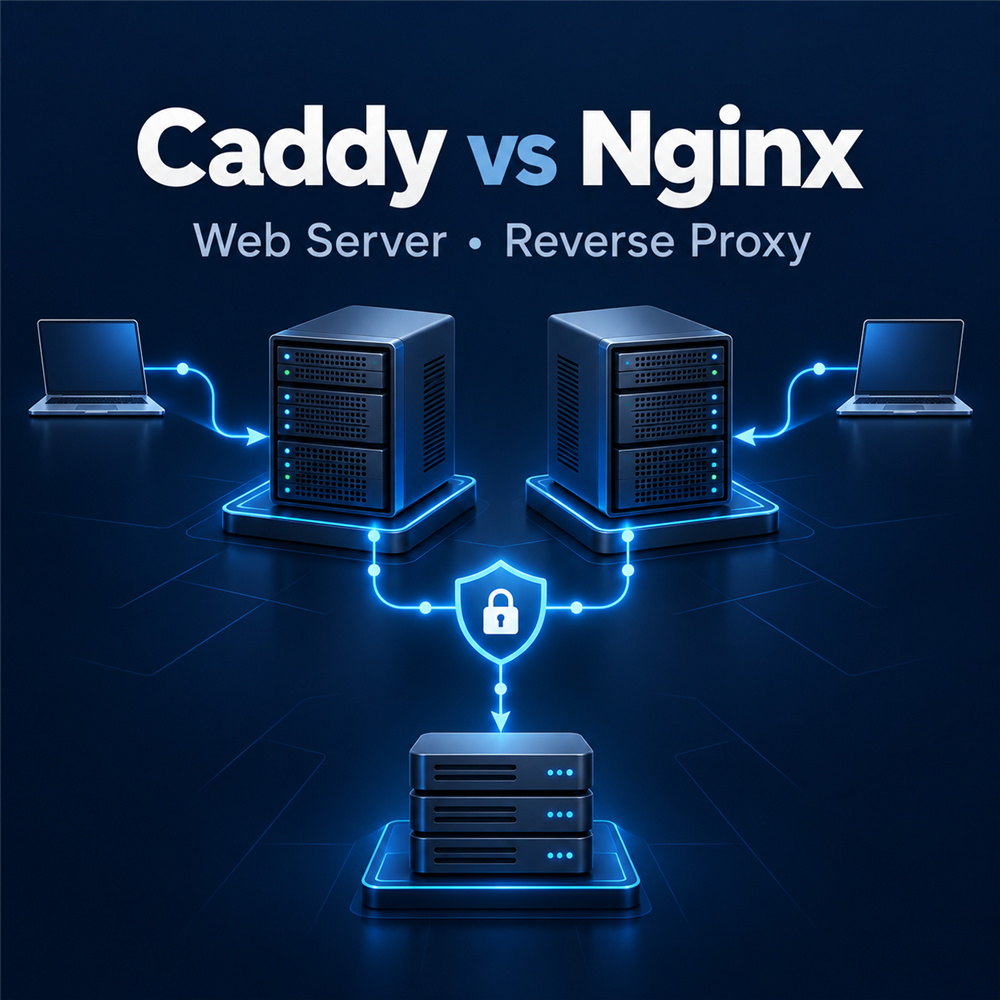
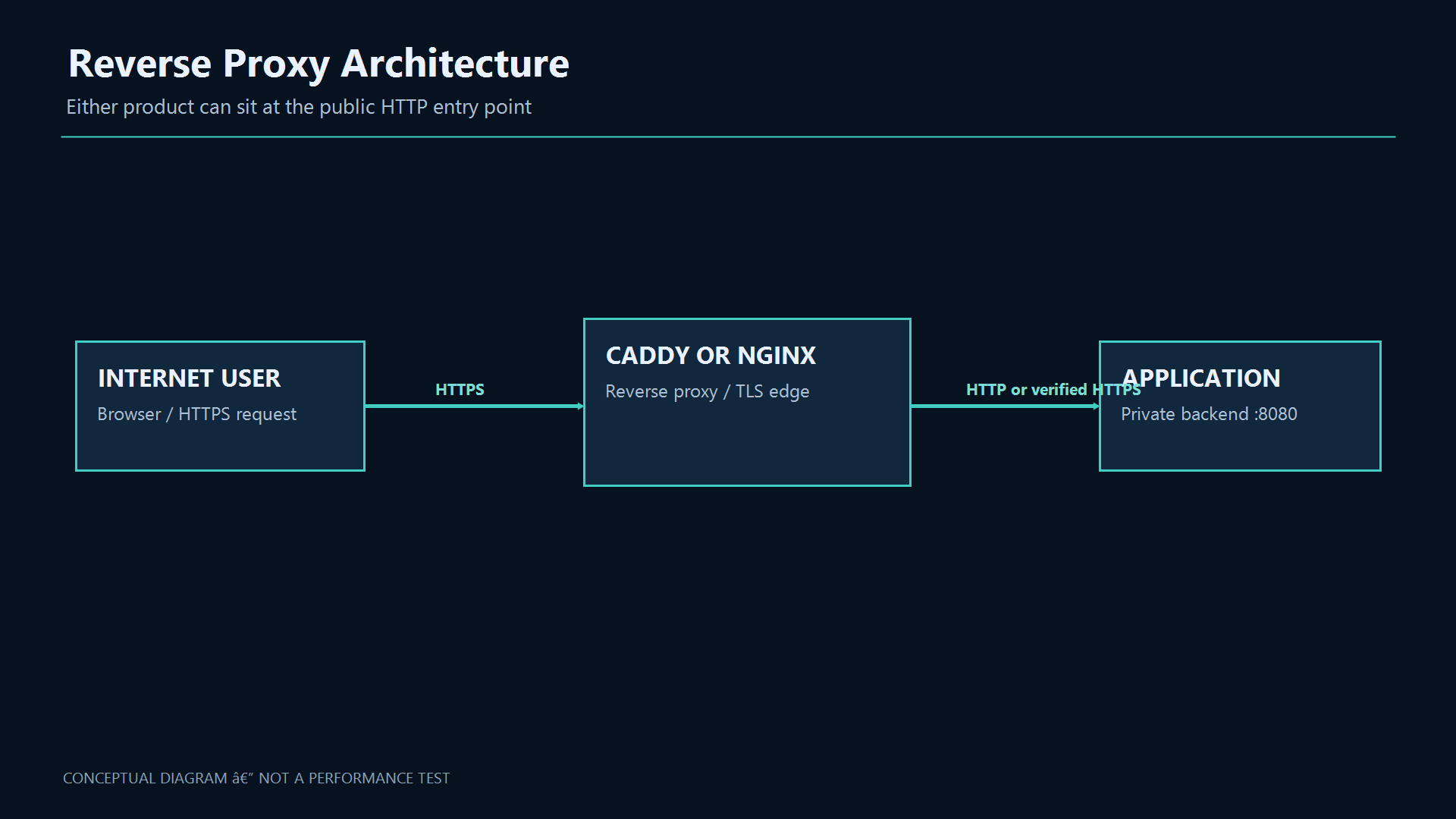
Suppose an app listens only on port 8080 on a Linux host. Users need a domain and HTTPS, while the app itself should stay off the public internet. Nginx or Caddy can become the entry point and forward requests to the app. They differ in configuration, certificate lifecycle, feature scope and operations. This article aims to match the tool to your environment, not name a universal winner.
Prerequisites
Use a supported release, a tested backup, administrative access, a maintenance window when required, and a rollback plan. Validate DNS, time synchronization, firewall rules, storage, and monitoring before implementation.
Architecture and Core Concepts
Understand the data flow, trust boundaries, dependencies, and the expected state before changing a live environment. Separate control-plane configuration from data-plane traffic and document every external dependency.
2. Equivalent reverse proxy configurations
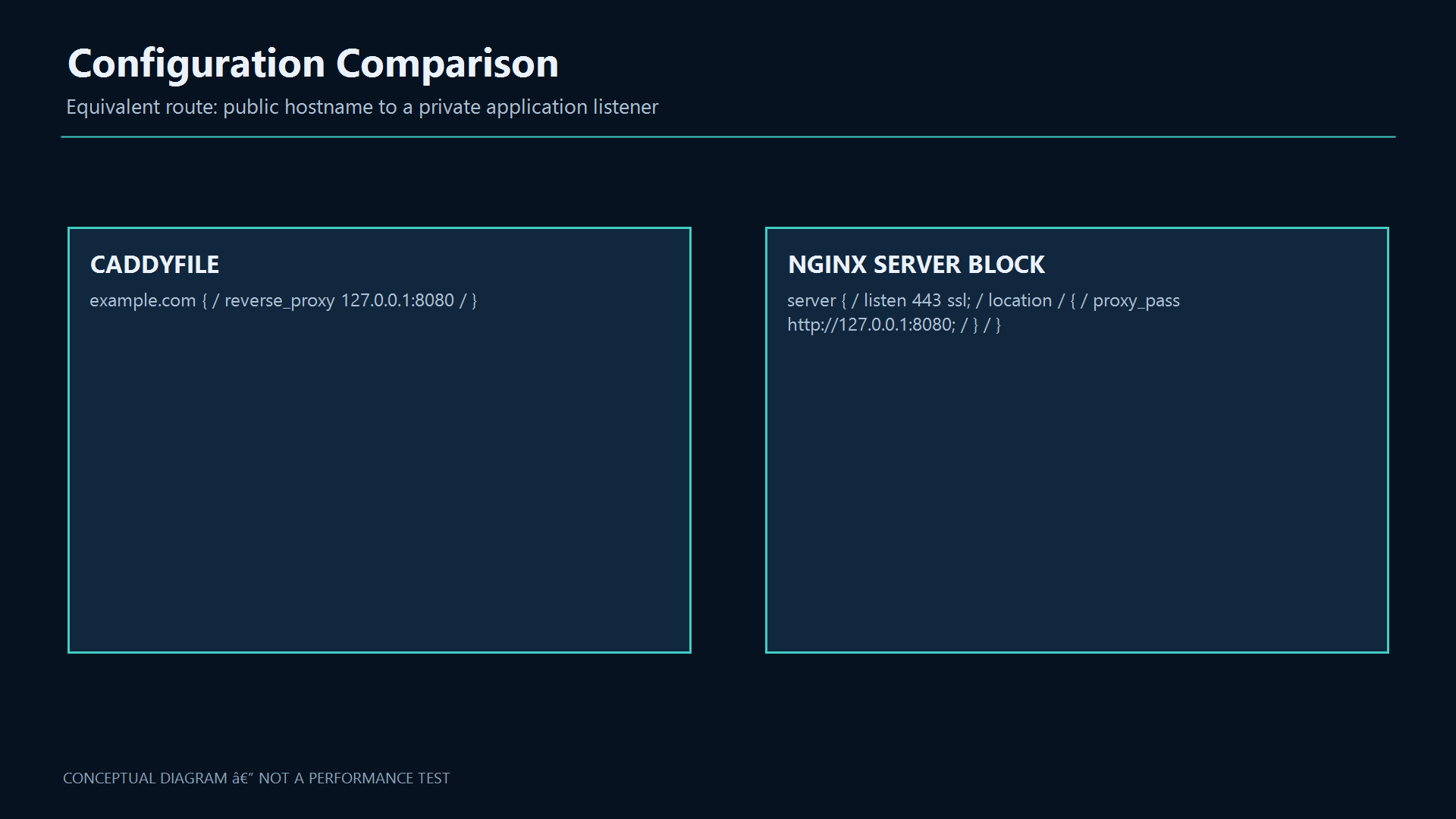
Both examples proxy example.com to localhost:8080. Caddy attempts automatic HTTPS. The Nginx example assumes an ACME client or PKI has placed certificates at those paths. Run these separately: they cannot bind the same IP and port at once.
# Caddyfile
example.com {
    encode zstd gzip
    reverse_proxy 127.0.0.1:8080
}

# Nginx server block, inside http {}
server {
    listen 443 ssl;
    server_name example.com;
    ssl_certificate /etc/letsencrypt/live/example.com/fullchain.pem;
    ssl_certificate_key /etc/letsencrypt/live/example.com/privkey.pem;
    location / {
        proxy_pass http://127.0.0.1:8080;
        proxy_set_header Host $host;
        proxy_set_header X-Real-IP $remote_addr;
        proxy_set_header X-Forwarded-For $proxy_add_x_forwarded_for;
        proxy_set_header X-Forwarded-Proto $scheme;
    }
}
3. Security and production operations
Restrict backend ports to the proxy, protect private keys and never expose Caddy’s admin API publicly. If a CDN is in front, trust client IP headers only from known proxies. Logs must not contain tokens, sensitive cookies or private bodies. Select backend TLS according to network and data boundaries; untrusted paths require encryption and identity verification.
4. What happens between a browser and an app?
A browser resolves a domain with DNS and sends an HTTP request. A web server accepts requests and serves files. A reverse proxy sits on the server side, chooses a backend and returns its response. If an app listens on 127.0.0.1:8080, the proxy can be the only public entry point. HTTPS carries HTTP inside encrypted TLS; a certificate helps the browser verify the domain identity. Client-to-proxy and proxy-to-backend TLS are separate trust boundaries.
5. What Nginx does
Nginx is an event-driven web server and proxy. It can serve static files, terminate TLS, forward requests, distribute traffic and cache selected responses. It is common at website and API entry points, especially where teams already have mature operational patterns. Its architecture does not guarantee better speed for every workload. Nginx Open Source is distinct from NGINX Plus: the official active HTTP health check is commercial; OSS has passive upstream failure handling.
6. What Caddy does
Caddy is a web server and proxy with a readable Caddyfile, automatic HTTPS and a local admin API. Reverse proxying, load balancing and health checks are core features. Public certificates require correct public DNS, reachable validation ports, bind permissions and persistent writable certificate storage. Restricted networks, DNS challenges or internal PKI may need additional setup. Official packages do not include every third-party module; check the deployed build.
7. Compare the editions you will run
The capability table is edition-aware; commercial features are not attributed to OSS.
| Capability | Caddy 2.11.7 | Nginx OSS 1.30.6 |
|---|---|---|
| Reverse proxy | Native reverse_proxy | proxy_pass |
| Automatic ACME TLS | Built in, subject to reachability/DNS/storage | Separate ACME client and renewal/reload |
| Active HTTP health checks | Built in | NGINX Plus feature |
| Passive upstream checks | Available | Available |
| Proxy response cache | No general built-in core cache | proxy_cache available |
| Static files | file_server | Built in |
| Third-party modules | Custom build; verify module list | Build/package dependent |
8. Install on Ubuntu
Distribution and upstream repositories may ship different versions. This uses the official Caddy stable repository and Ubuntu Nginx package. For upstream Nginx, configure the signed nginx.org repository per its official instructions.
# Caddy stable repository
sudo apt install -y debian-keyring debian-archive-keyring apt-transport-https curl gnupg
curl -1sLf https://dl.cloudsmith.io/public/caddy/stable/gpg.key | sudo gpg --dearmor -o /usr/share/keyrings/caddy-stable-archive-keyring.gpg
curl -1sLf https://dl.cloudsmith.io/public/caddy/stable/debian.deb.txt | sudo tee /etc/apt/sources.list.d/caddy-stable.list
sudo apt update && sudo apt install caddy

# Nginx from Ubuntu repository
sudo apt update && sudo apt install nginx
caddy version
nginx -v
9. Certificate lifecycle
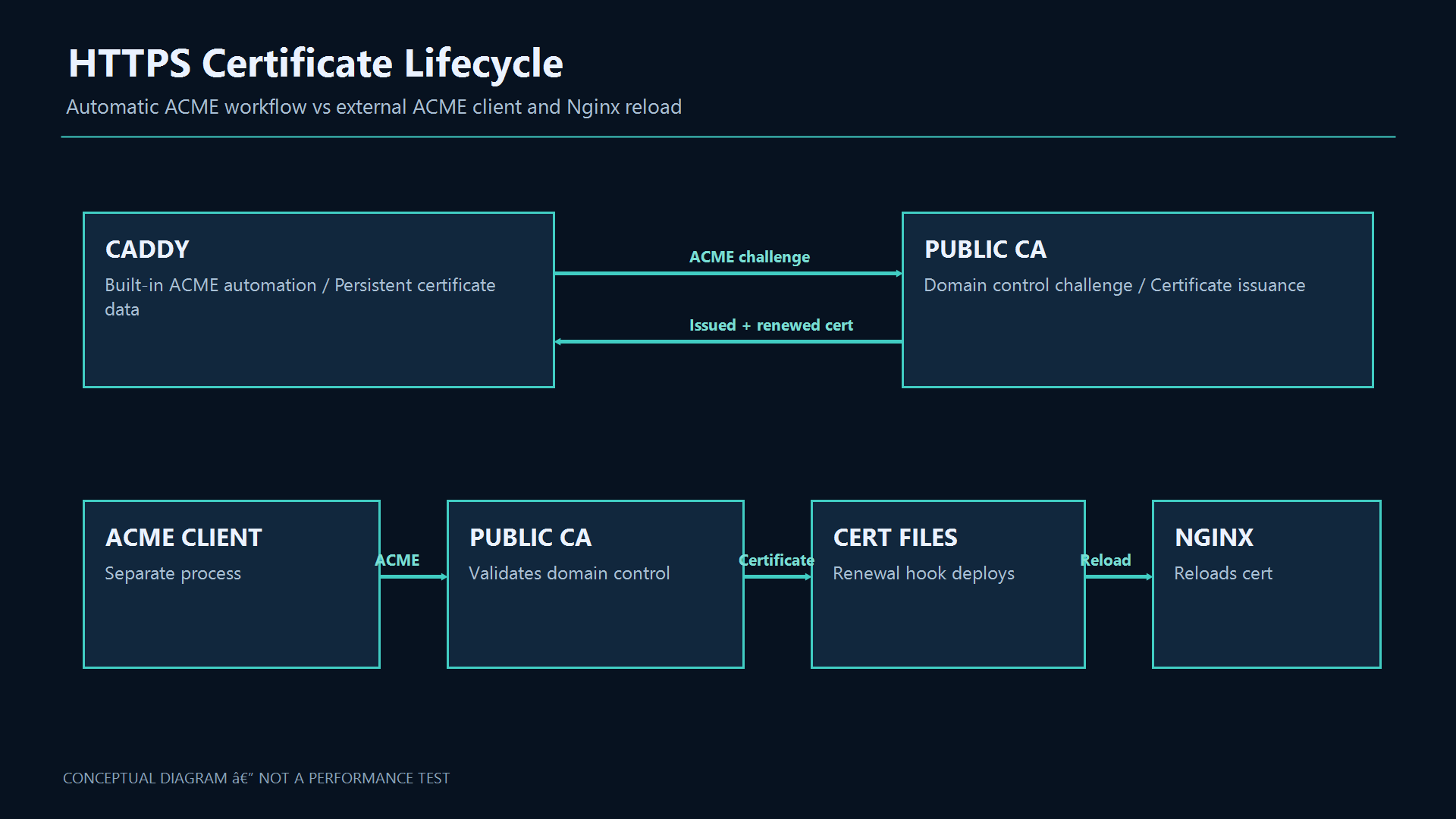
Caddy manages the usual ACME lifecycle, but DNS, firewall, storage, CA limits and log monitoring remain operational duties. A local localhost certificate is not a public certificate. With Nginx, an ACME client typically obtains certificates and Nginx must reload after renewal. Verify CA and hostname for HTTPS backends; disabling verification removes server identity checks.
10. Load balancing and health checks
Caddy reverse_proxy supports active health checks. Nginx OSS passively observes real request failures; the active HTTP health_check directive belongs to NGINX Plus. A /healthz endpoint should report readiness without exposing sensitive information. Retrying a payment without idempotency can duplicate an operation.
# Caddy active checks
example.com {
    reverse_proxy 10.0.0.11:8080 10.0.0.12:8080 10.0.0.13:8080 {
        lb_policy round_robin
        health_uri /healthz
        health_interval 10s
        health_timeout 2s
        health_fails 3
        health_passes 2
    }
}

# Nginx OSS passive failure handling
upstream app_pool {
    server 10.0.0.11:8080 max_fails=3 fail_timeout=10s;
    server 10.0.0.12:8080 max_fails=3 fail_timeout=10s;
    server 10.0.0.13:8080 max_fails=3 fail_timeout=10s;
}
server { listen 8080; location / { proxy_pass http://app_pool; } }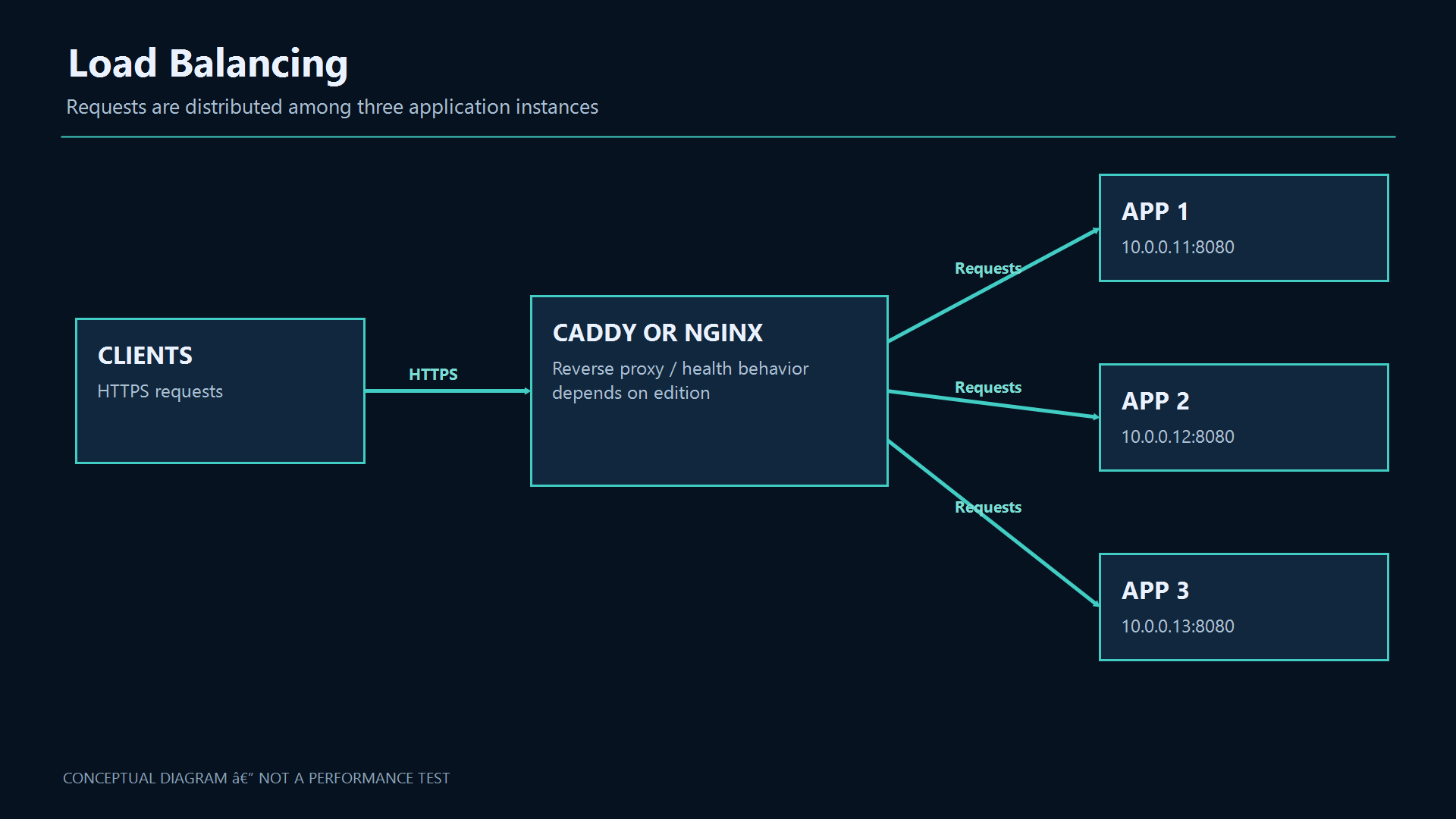
11. Which one fits your environment?
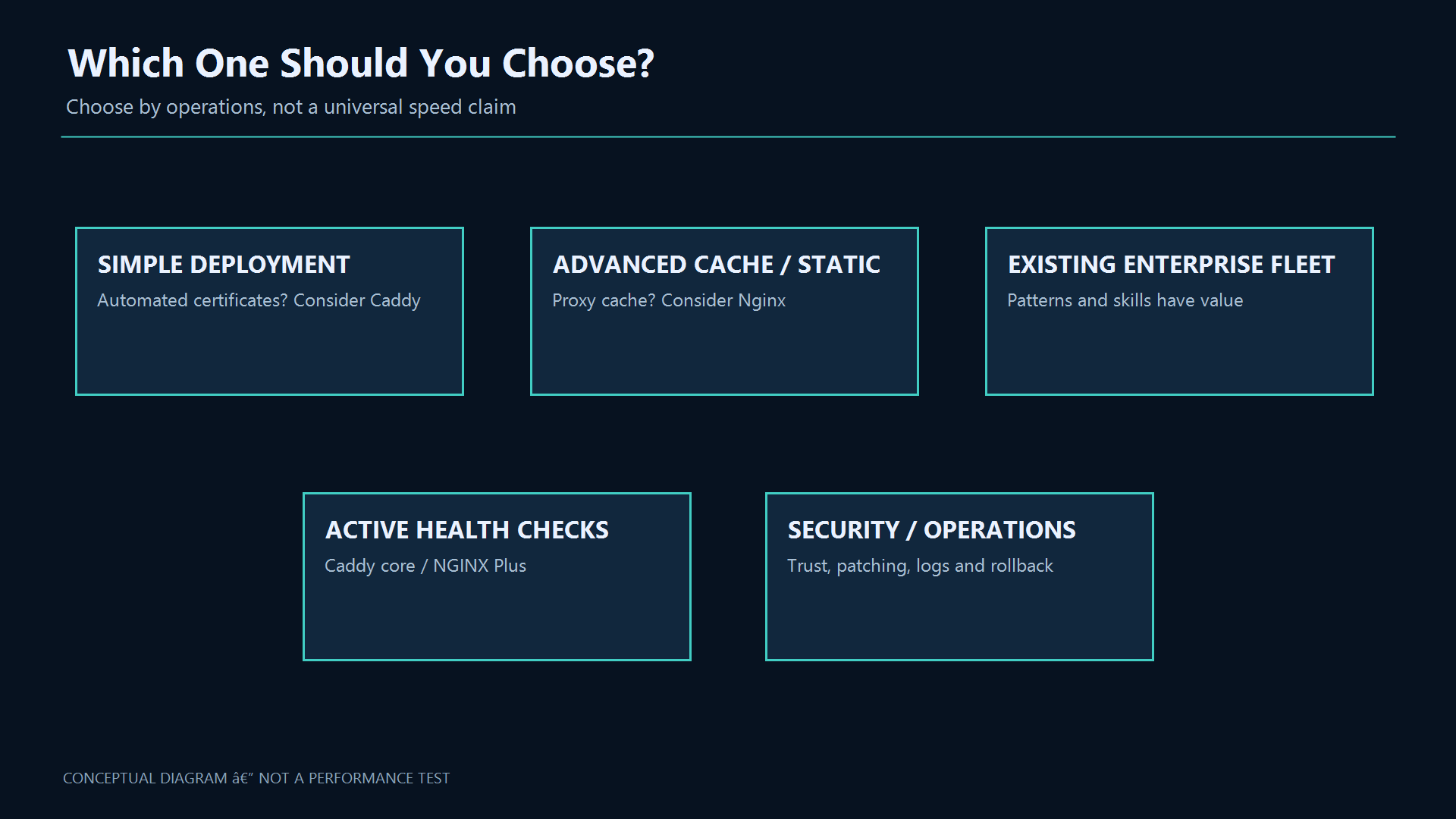
For a small new service prioritizing simple configuration and automated HTTPS, Caddy is a sensible starting point. For a mature Nginx fleet, proxy-cache/static-serving requirements or established operational practices, keeping Nginx is reasonable. If you need active checks in Nginx, evaluate Plus or another layer. Do not migrate solely for shorter config.
12. Plan a controlled migration
Inventory hosts, paths, headers, body limits, timeouts, WebSockets, cache, rate limits, trusted IPs and certificate renewal. Validate on staging or a separate port; test auth, uploads, backend failure, client IP and renewal. Keep the previous config and rollback plan, and move listeners deliberately.
Official References and downloadable files
Version status checked 24 October 2026: Caddy 2.11.7 and Nginx Open Source stable 1.30.6. Distribution packages can differ; verify the installed version before relying on a directive.
Troubleshooting
| Symptom | Cause / Check | Resolution |
|---|---|---|
| Service does not start | Check service status, logs, ports, permissions, and configuration syntax. | Fix the reported dependency or syntax error, then restart and verify health checks. |
| Clients cannot connect | Validate DNS, routing, firewall policy, TLS, and listening address from both endpoints. | Allow only the required source and destination, reload safely, and retest with a controlled client. |
| Change caused an outage | Compare the change with the last known-good version and inspect audit and application logs. | Rollback the smallest possible change, restore service, then document the root cause and prevention. |
13. Measure your workload
There is no universal speed ratio. TLS, payloads, connections, compression, cache, logging, network and backend behavior all affect results. Under equivalent settings, measure throughput, p95/p99 latency, errors, CPU and memory, including long requests and backend failure/recovery.
Best Practices
- Version-control configuration and review changes.
- Use least privilege and explicit allow-lists.
- Automate repeatable checks and monitor the expected state.
- Test upgrades and restores before production rollout.
Conclusion
A reliable implementation of Caddy vs Nginx: Which Web Server and Reverse Proxy Should You Choose? is more than a successful first run. Keep the configuration documented, observable, recoverable, and aligned with the team's change-management process.
14. Frequently asked questions
Does Caddy always get a public certificate? No; DNS, port reachability and persistent storage must permit it. Does Nginx OSS include active HTTP checks? The official module is in Plus. Which is faster? Measure equivalent workloads. Can they coexist? On separate ports/layers, but not the same IP:port.