Asset records that stay useful
You open the warehouse spreadsheet to issue a laptop to a new employee. Its serial number is listed, but nobody knows whether it is still on the shelf or was assigned to another department last month. Across hundreds of computers, monitors, printers, switches and servers, scattered lists make ownership, location and warranty dates difficult to trust.
GLPI is a web application for recording equipment and linking it to support work. IT Asset Management follows an item through purchase, assignment, moves and retirement; inventory is the record of what exists and its characteristics. GLPI can store model, serial number, location, assigned user and warranty details. A GLPI Agent on Windows or Linux collects technical information and sends it to the server. Assignment records and handover evidence still need human review.
We will install GLPI 11.0.11 on Ubuntu 24.04, inventory a test computer through its Agent, and associate an asset with an employee and location. We will also link a support Ticket to it: a record of the request, responsible technician and resolution. The aim is a usable asset history that supports both inventory work and everyday IT support.
Architecture and Core Concepts
Understand the data flow, trust boundaries, dependencies, and the expected state before changing a live environment. Separate control-plane configuration from data-plane traffic and document every external dependency.
Configuration and Validation
Apply the smallest configuration that satisfies the requirement. Keep environment-specific values in a secret-managed configuration, validate syntax before reload, and verify the result from both the service and client perspectives.
Security Considerations
Production safety
- Do not expose management interfaces or databases to the public Internet.
- Store passwords, tokens, and private keys outside the article and source repository.
- Patch dependencies, restrict administrative access, and retain audit logs.
1. Version and prerequisites
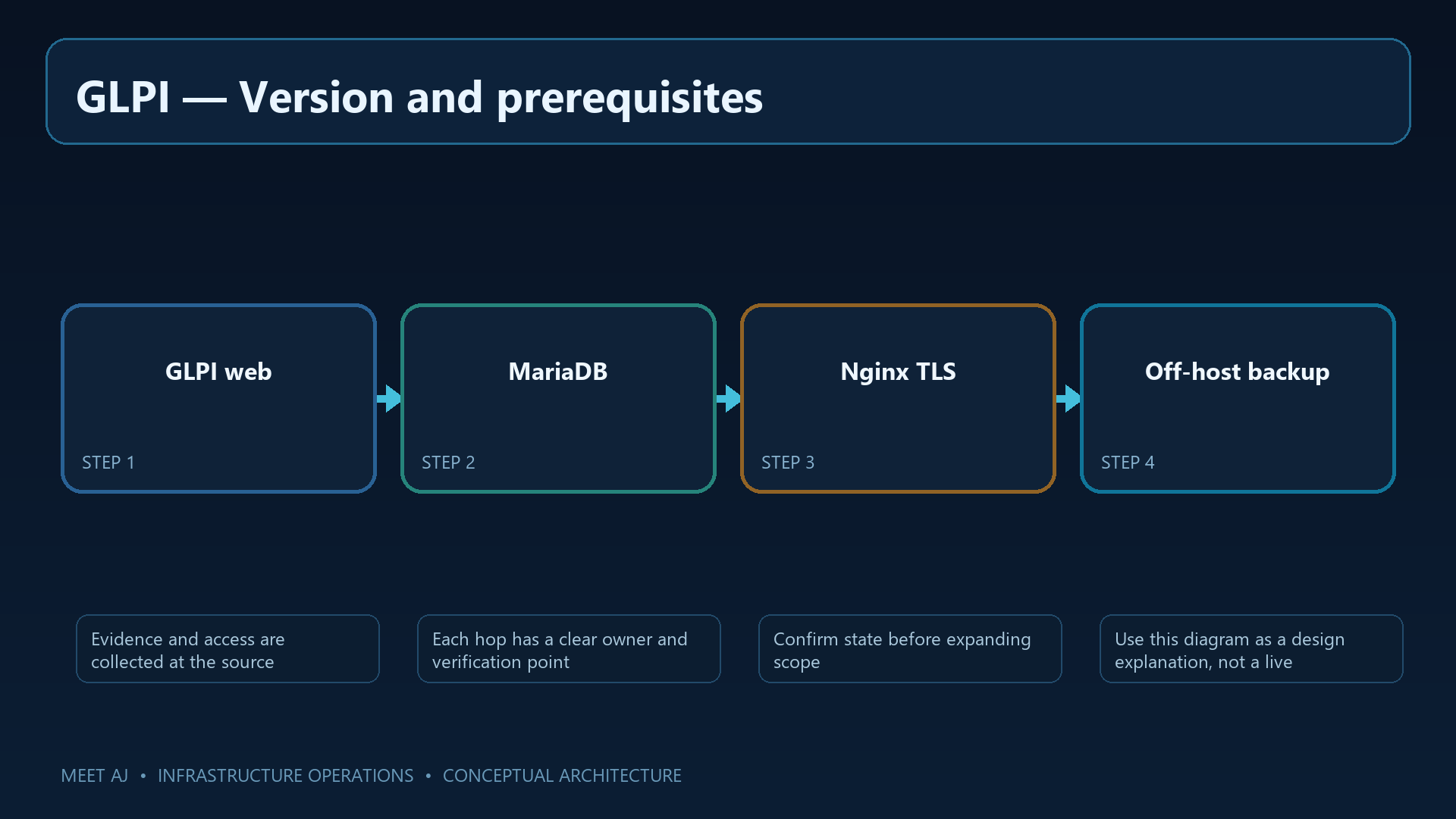
GLPI is a PHP application that needs a web server and database. This deployment uses Ubuntu 24.04's PHP 8.3, which meets GLPI 11's documented PHP 8.2 minimum. Required extensions include bcmath, mbstring and OpenSSL alongside web/database extensions. Check both command-line PHP and the PHP-FPM runtime used by the website.
Start with 2–4 vCPU, 4–8 GiB RAM and SSD storage, then size around Agent count, ticket attachments and history. The selected release is 11.0.11. Before upgrading, check PHP and plugin compatibility for the destination release. A dedicated host and stable DNS name make ongoing maintenance and Agent configuration easier to manage.
2. Database, PHP-FPM and Nginx
Asset records, users and tickets must persist after a browser closes; MariaDB stores that state. Create a dedicated database and an account with access to that database only. In the block below, CREATE through EXIT run inside the MariaDB prompt opened by sudo mariadb. The surrounding commands run in the Linux shell.
Download the official glpi-11.0.11.tgz release package and verify its checksum; GitHub's generic source archive is not the packaged release. Nginx should publish only GLPI's public directory, keeping configuration and data out of direct web access. Adapt the downloadable nginx-glpi.conf for your hostname, certificate and paths. Application code remains root-owned, with write access limited to required data directories.
sudo apt update && sudo apt install -y nginx mariadb-server php8.3-fpm php8.3-cli php8.3-mysql php8.3-curl php8.3-gd php8.3-intl php8.3-xml php8.3-mbstring php8.3-bcmath php8.3-zip php8.3-ldap
sudo mariadb
CREATE DATABASE glpi CHARACTER SET utf8mb4 COLLATE utf8mb4_unicode_ci;
CREATE USER 'glpi'@'localhost' IDENTIFIED BY 'REPLACE_WITH_RANDOM_SECRET';
GRANT ALL PRIVILEGES ON glpi.* TO 'glpi'@'localhost';
FLUSH PRIVILEGES;
EXIT;
# Download official glpi-11.0.11.tgz; verify checksum at the official release page before extracting.
sudo install -d -o www-data -g www-data /var/lib/glpi
sudo tar -xzf glpi-11.0.11.tgz -C /var/www
sudo chown -R root:root /var/www/glpi
sudo chown -R www-data:www-data /var/www/glpi/files /var/lib/glpi
Before opening the installer, verify that the glpi account can connect to its database, MariaDB and PHP-FPM are running, and required extensions are available. Do not solve permission errors by making the entire application writable. The archive-download comment is a prerequisite reminder, not a command that downloads the file.
3. Complete the web installer and schedule
Open GLPI's internal HTTPS URL and supply the dedicated database connection in the installer. Create a named administrator, then remove or disable default accounts and installer access according to this release's instructions. Configure persistent data outside the web root through GLPI's supported path settings; moving a directory alone is insufficient.
Background work such as notification processing must run without an open browser. Cron is Linux's scheduler for starting those periodic tasks. The entry below belongs to www-data's crontab, not root's. Save the scheduled line in the editor, then run the status and Nginx checks separately in the shell.
sudo crontab -u www-data -e
# Run the documented GLPI cron task every minute:
* * * * * /usr/bin/php /var/www/glpi/front/cron.php
sudo -u www-data php /var/www/glpi/bin/console glpi:system:status
sudo nginx -t && sudo systemctl reload nginx
Resolve requirement or database errors reported by the status command and require a successful nginx -t. Check recent automatic-action execution in GLPI. Create a test asset, ticket and attachment, then reopen them; this validates more than a functioning login page.
4. Register Windows and Linux agents
Install an Agent to collect a computer's technical inventory periodically instead of transcribing it by hand. Use the official Windows package or a supported Linux package and configure the HTTPS server URL. The block is Agent configuration, not an installer: deploy and enable the service separately through your software-management process. Keep certificate checking enabled and allow only the necessary outbound access.
Not every asset runs an Agent. A warehouse monitor, printer or device you cannot modify can be registered manually with its serial and location. Automatically collected records still need review for duplicates and incorrect details. Cisco/MikroTik network inventory requires compatible GLPI Network Inventory components and SNMP; test that path separately with read-only credentials and an approved discovery range.
# Example glpi-agent.cfg (Windows/Linux; protect any credentials separately)
server = https://glpi.example.invalid/front/inventory.php
tag = branch-lab
logger = stderr
no-ssl-check = 0
# Linux package installation varies by supported distro; use the official GLPI Agent repository/package.
# Windows: deploy the signed MSI using your software distribution system, then verify service status.
# Trigger a one-time inventory only on an authorized test endpoint.
Send the first inventory from one authorized test computer and verify its name, serial and latest receipt time in GLPI. A tag helps distinguish the reporting group; it is not proof of ownership. Expand scheduled collection only after reviewing that first result.
5. Entities, assets and tickets
An Entity defines an organizational or operational boundary for records and access. A Location identifies a physical place; an assigned user is a separate relationship. Keep those concepts distinct. Begin with a simple structure and use Profiles to define what support staff, inventory operators and auditors may view or change.
Find the opening scenario's laptop by serial, record its current location and assigned employee, then add warranty and contract dates. If it develops a fault, link the Ticket to that asset and record the technician, agreed service target or SLA, and resolution. Update assignment and location at the next handover; the Agent cannot record every physical transfer for you.
6. HTTPS, permissions and update policy
The inventory brings employee information and infrastructure details together. Configure HTTPS correctly in Nginx, restrict administration to approved networks and enable MFA where the chosen identity integration supports it. Test Profiles through an account holding the actual role rather than relying on group names alone.
Restrict configuration and file permissions and choose attachment limits around support needs and storage capacity. Track PHP and MariaDB security updates. Test plugin compatibility in isolation before upgrading GLPI; a successful core upgrade does not establish that every plugin remains functional.
7. Database and file backup, recovery
The database contains asset and ticket history, while attachments and some settings live in files. Treat MariaDB, GLPI files, configuration, plugins, encryption keys and external data paths as one recovery set. The example takes a transaction-consistent dump; include any deployment-specific plugin or key paths outside the listed directories in your backup plan.
Recover database and files together on an isolated host running the same GLPI version. Keep encrypted copies off-host and define acceptable data loss and downtime. A compressed archive alone does not demonstrate that a ticket and its attachment can be recovered.
#!/usr/bin/env bash
set -euo pipefail
umask 077
STAMP=$(date -u +%F-%H%M%S)
DEST=/backup/glpi/$STAMP
install -d -m 0700 "$DEST"
mariadb-dump --single-transaction --routines --triggers glpi | gzip -1 > "$DEST/glpi.sql.gz"
tar --numeric-owner -czf "$DEST/glpi-files.tgz" /var/www/glpi/config /var/www/glpi/files /var/lib/glpi
sha256sum "$DEST"/* > "$DEST/SHA256SUMS"
# Encrypt and transfer the complete directory to approved off-host storage.
Verify checksums, then test login, an asset, its assigned employee, a ticket and an attachment in the recovered instance. Record the result and elapsed time, and keep the recovery environment disconnected from production Agents and mail delivery.
8. Troubleshooting and acceptance
For a missing computer, start with the Agent service, server URL, DNS, certificate trust and submission log. Check tags and duplicate records too. Investigate Cron separately when background actions stop; not every missing inventory is a scheduling failure. Use Nginx/PHP-FPM logs for PHP or permission errors and make only the required paths writable.
A network device missing SNMP details may need compatible inventory components or a valid credential profile. Before handover, verify Agent receipt, ticket assignment, role permissions, HTTPS, disk alerts and recovery. A trustworthy inventory also needs someone responsible for reviewing automatic records and recording equipment transfers.
Answer the next equipment question from one record
Open the test laptop and confirm that another authorized technician can identify its serial, location, assigned employee, warranty date and linked support request. If those details are current and access is appropriate, GLPI is serving the original purpose: connecting technical inventory with the people and work around each asset.
Downloads
Official References
Best Practices
- Version-control configuration and review changes.
- Use least privilege and explicit allow-lists.
- Automate repeatable checks and monitor the expected state.
- Test upgrades and restores before production rollout.
Conclusion
A reliable implementation of Install GLPI on Ubuntu: Enterprise IT Asset Management and Inventory is more than a successful first run. Keep the configuration documented, observable, recoverable, and aligned with the team's change-management process.
FAQ
Does GLPI Agent manage Cisco switches?
No. The endpoint agent inventories endpoints; network devices require compatible network inventory components.
Can I use PHP 8.3 with GLPI 11?
Yes, the documented GLPI 11 minimum is PHP 8.2; validate the exact patch and extensions.
Is the database dump enough to restore GLPI?
No. Restore the database, configuration, uploaded files, plugins and external data directory together.
Should I install every marketplace plugin?
No. Add only maintained plugins compatible with the installed GLPI branch.